Pages

Showing posts with label Google. Show all posts

Wednesday, January 23, 2019

MRVED Update - January 23, 2019

MRVED Business

January 23, 2019  Superintendents' Council
January 25, 2019  Principals' Council - CANCELLED

February 1, 2019    Title III Teachers
February 13, 2019  MRVED Board (6 p.m.)
February 21, 2019  TAC
February 22, 2019  Principals' Council
February 27, 2019  Superintendents' Council

MELT Recap
Once again we couldn't fully escape the cold and snow, but overall it was a great day of learning.  Around 650 educators participated in the day and great collaboration occurred all day.  The MRVED would like to once again thank Lac qui Parle Valley for being such a great host.  The custodial staff does a fabulous job in preparing the building for 650 people and the kitchen staff prepares a wonderful meal for everyone.  Dave works hard to make sure all the technology is up and running not only throughout the day, but spends a couple hours the weekend prior getting everything ready.  Thank you to the administration and staff for allowing all the educators in your building.  It's not easy coming back into your classroom at the end of the day to see it torn apart.  The MELT committee thanks everyone and even those not mentioned.

MELT Evaluation
The MRVED hopes that all your MELT experience was a great one.  There were some awesome sessions presented throughout the whole day.  Please take a moment to fill out the MELT 2019 Evaluation.  Any and all feedback is appreciated.  The MRVED Teacher Advisory Committee (TAC) looks over the evaluations and makes adjustments to the day based upon the feedback.  The MRVED Principals and Superintendents also look over the evaluations.

MELT Evaluation

Rethinking Time in Schools

This past week I read a Tweet that asked the question, "What if our schools rethought the idea of time and scheduling?  What would it look like in your school?"  This really made me think and I started researching alternative scheduling in schools.  I came across this article on Reimagining the School Day by Meg Benner and Lisette Partelow from the Center for American Progress.  The article provides examples from elementary, to middle school, to high school.  I also stumbled upon this interesting resource as well. unlockingtime.org.  I think school schedules would be a neat PLC topic to investigate.  How do schedules impact student learning?

Testing 1,2,3 From MDE

Testing 1,2,3 is created by the Minnesota Department of Education as a resource to help district better utilize the data they are given.  The quote from the website is this:

"Test data is an effective tool for informing instruction. This website is designed to help teachers harness that data by providing helpful ways to understand, interpret and ultimately use test data in the classroom."

A quick browse through the website will give you a better idea of what it is all about.  This site has been in the works for the past couple years and brings many different aspects of MDE's website into one spot.  Bookmark it today!


Tech Tip of the Week - Tilt Brush by Google

In the "this is unbelievable" category, the Tilt Brush by Google is AWESOME!  The Tilt Brush allows you to paint in 3D.  The Tilt Brush itself is not too expensive, but the 3D goggles can get to be a bit expensive.  Check to see if your school has a pair of 3D goggles and then you will want to check out and purchase a Tilt Brush.  Imagine putting this in the hands of our kids and the things they can create!


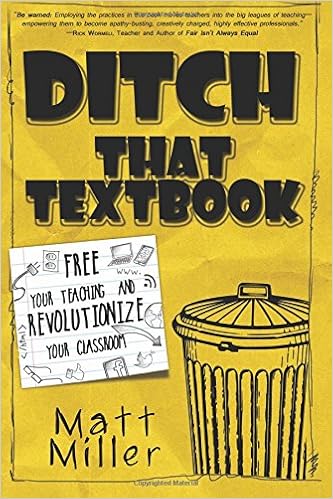
Ditch That Textbook - Part 2 (Chapter 8-13) Ditch That Mindset

Last time we looked at the first part on "Why Go Digital" in the book Ditch That Textbook by Matt Miller.  If you still have not gotten the book, I highly, highly, suggest it!  There are SO many great ideas in this book, it really can help you transform your teaching.

We will now look at chapters 8-13 in the section titled "Ditch That Mindset".  Miller talks about a variety of things in these chapters so I'll do my best to summarize my learning.

Miller talks about making learning personal for kids.  Find a way to connect the content to something relevant in their world.  There are many parallels we can make in almost every content area.  Think about events in their worlds such as, birthday parties, prom, homecoming, jump rope for heart, etc...  Anytime you can personalize learning and connect real-life to content, kids tend to retain that information better.  It also makes learning interesting for kids.

Chapter 9 talks about making learning fun. Miller mentions the works of Dave Burgess, which the MRVED had the awesome opportunity to see this past fall.  Basically, do what you can to involve your kids in the learning and make it fun for them.  Think how boring life would be if school wasn't fun!

Miller continues to talk about building relationships with kids.  He mentions that some days you do need to be a kids friend because you are all he/she has.  Building positive relationships with kids really does make everything else in the book so much easier.  If kids respect and trust you, they will take risks with you.  They will help you when you fail.  They will encourage you, much like you encourage them.
The last part to these chapters talks about integrating the technology.  Chapters 12 & 13 go hand-in-hand with what I have been talking about the past five years.  Choose task over tool and utilize the SAMR model.  I compare the task over tool portion to the "Golden Why" by Simon Sinek with the learning objective in the middle as the "why" the tasks in the second ring as the "how" and the tools on the outside as the "what".  Lesson plan from the inside out...What is my learning goal?  Then, what task do I need to do to accomplish that goal?  Lastly, what tool will I use to accomplish both.

Wednesday, September 20, 2017

MRVED Update

MRVED MELT 2018 Call for Presentation Proposals

The MRVED Educators Learning Together (MELT) conference will be held at Lac qui Parle Valley High School on January 15, 2018. To help make this conference the best ever, we need your help. The MRVED is looking for enthusiastic people willing to present on something great happening in your classroom. This can be anything from Google Drive to differentiation techniques in your classroom. Technology or no technology proposals are welcome. Presenters will be paid a small stipend for your work. You may submit as many presentation proposals as you wish.

We are especially looking for any Pre-K teachers willing to present!


**By filling out this form you are not committing to presenting, just providing the MRVED with your name and topic.**
2018 Call for Presentation Proposals Link


October 18 Common Day

Be looking for information on the October 18 Common Day held at Yellow Medicine East in the very near future.  Here is a brief synopsis of the day.

Training for PLC Leaders at the Kilowatt Community Center in Granite Falls.  This training will be from 8:00 a.m.-3:00 p.m. and will be facilitate by Jack Baldermann, consultant with Solution Tree.

For people who are not PLC Leaders, Kayla Delzer will be a keynote speaker at Yellow Medicine East High School.  Kayla will be speaking to half the teachers in a 90 minute session, while the other half of the teachers are attending breakout sessions.  After 90 minutes the groups will flip-flop.  The afternoon will be spent in district teams, facilitated by your districts.

Be looking for more specific information in your email in the coming weeks.


Innovator's Mindset Series - Chapter 1

This week we will start the series over the book Innovator's Mindset by George Couros.  The series will feature some information from the chapters with my (Brandon's) own take on what it all means.  I highly suggest buying this book, it's a quick read and really makes you think.  Not to mention, George Couros will be our keynote speaker at the Spring common day.

Chapter 1 - What Innovation is and isn't
The chapter starts off with a very good example of Blockbuster going under because they were unwilling to give up an outdated business model (nobody rents movies from stores anymore...everything is streamed).  Basically, innovate or die!

We work in a world where the same holds true.  We need to either innovate our practices or education as we know it may die.  Think about what the Internet has done to the movie industry, it changed it ten-fold.  Think about what it should be doing to education!

The Innovator’s Mindset: Empower Learning, Unleash Talent, and Lead a Culture of Creativity by [Couros, George]Couros defines innovation as a way of thinking that creates something new and better (pg 19).  Couros puts emphasis on the "new & better" part, whereas, I also think that "thinking" should also be emphasized.  Couros says, "when we think differently about the things that we are used to seeing daily, we can create innovative learning opportunities" (pg 25).  True innovation is taking an idea, thinking deeply about it, and moving forward in hopes it creates a new and better experience for someone.  Often times, we forget about the "better" piece.  You may innovate a practice, but did it really make it better?  For example, a teacher believes they are innovative for scanning their worksheets and providing them to the students online.  This practice is #1 not innovative and #2 does not automatically make the experience better for the students.

Innovation is not simply doing something differently (see example above).  It's a way of thinking that keeps the interests of both the teacher and student in mind.  If it's not a solution that is better for both parties, it isn't innovative.

Questions to consider (pg 27)
1. What is an example of a practice that you consider to be innovative?  How is it new or better than what you did before?


Tech Tip

Google Classroom is gaining in popularity in our classrooms.  Not only for the ease of using Google Drive, but also organization & communication.  Google is constantly updating and changing things within their platform.  Use this website to see what was updated last month, and you can even look back to the updates over the summer.  If you are an avid user, you may not even know some of these features exist!

Google Classroom Updates


Article - How the Google Suite Can Enhance Open-Ended Math Exploration

This article was sent to me and offers some great talking/thinking points about visualization in the math classroom.  I think there are some great ideas in here for both elementary and high school as well as other content areas.  Give it a quick glance today!

How the Google Suite Can Enhance Open-Ended Math Exploration Article


MRVED Meetings
September 29, 2017 - Title III Paras
October 25, 2017 - Superintendents' Council
October 27, 2017 - Principals' Council
November 8, 2017 - Joint Principals' & TAC

Friday, March 31, 2017

21 Google Tools You Never Knew About

21 Google Tools You Never Knew About
I stumbled across this great blog post on Twitter by Eric Curts on 21 Google Tools You Never Knew.  There is something for everyone in here from Google Scholar to Quick Draw with Google.  Even if you think you know everything about Google, you will find something you never knew about.

Friday, March 17, 2017

Tech Tip - Flippity

Flippity
Flippity is a great tool for any level and content area.  Flippity is an add-on for Google Sheets.  It allows users to put words into the spreadsheet and then create games based upon those terms.  Here is a short tutorial video that introduces you to how to use Flippity with Google Sheets.


Friday, October 28, 2016

Google Education On-Air Conference

Google Education On-Air Conference
Google will once again be hosting their Education On-Air conference on December 2nd and 3rd.  This is a great opportunity to learn from some of the top thinkers and educators in the world.  The event is free and all you need is an internet browser.  There are a variety of topics and people presenting this year.  Check out the Education On-Air Conference webpage today!


Friday, September 30, 2016

Tech Tip - Google Classroom Updates


Google Classroom Updates
Google announces updates once a month and the August update was a significant one for Google Classroom.  You can read all about the updates in this Google Blog.  The two updates that look to be really promising is the annotation feature in the Classroom App and the new Inbox.  If you use classroom, check out these updates today.

There is also a plug about the new update to Google Expeditions as well.  So even if you don't use Classroom, the Google Blog post is worth looking over.

Friday, February 5, 2016

Tech Tip - Google Add On's

Using Google Add On's
Google Add On's are created by a third party and are great ways to do things with your Google Doc or Spreadsheet that you normally can't do with Google.  There are some awesome Add On's for educators.

To find the add on's, open a new document, look on the toolbar and you will see the "add on" tab.  Click it, and then go to "get add on's".  From there you can search a variety of Google Doc add on's.  To find the add on's in Sheets, follow the same process.


Google Add On Lists
15 Best Google Drive Add On's For Education from The CoolCat Teacher
10 Good Google Docs, Sheets, and Forms Add-Ons for Teachers from FreeTech4 Teachers

Friday, October 9, 2015

Tech Tip - Google Expeditions Pioneer Program

Google Expeditions Pioneer Program

What is the program?
Expeditions teams will visit selected schools around the world, starting with the United States, Australia, New Zealand, the United Kingdom, and Brazil. Each team will bring a complete Expeditions kit with everything the teachers need to take their students on journeys anywhere. The team will show teachers how Expeditions works and help set it up before class.

There is no charge or cost involved in the program.

What are expeditions?
Expeditions is a virtual reality platform built for the classroom. We worked with teachers and content partners from around the world to create more than 100 engaging journeys - making it easy to immerse students in entirely new experiences.

What you need
A minimum of 6 interested teachers. In order to take as many students as possible on an Expedition, we'll visit schools showing the most interest first.

A committed point person to help schedule the school visit and coordinate the day of the experience.

You can sign up by filling out the Google Expeditions Pioneer Program form.


Friday, September 18, 2015

Tech Tip: Google Classroom Updates


Google Classroom
When Google Classroom was introduced a year ago, it was minimalistic.  Over the summer, Google updated Classroom with a variety of updates.  The interface is still minimalistic, which is a good thing, but the features that were added will create a much better user experience.  Check out the blog post from Google on the updates to see what is new.  If you looked at Google Classroom last year, now is a good time to jump in and try again.  If you are using Google Classroom, you may not be aware of some of the updates, so I suggest a quick glance through the post.

Friday, April 10, 2015

Education on Air Conference by Google

Education on Air Conference by Google
Google is hosting a 2 day Education on Air Conference.  All you need to do is register and enjoy the keynotes and sessions at the comfort of your computer.

Date: May 8 & 9
Cost: Free


Friday, March 27, 2015

Tech Tip - Build With Chrome

Build With Chrome
In the theme of Makerspace, the tech tip for this week is Build With Chrome.  Build With Chrome is a website that allows users to build anything with Lego's.  Once built, the user can place their creations on a map for other users to see.  If you enjoy building with Legos or you have students that enjoy it, give Build With Chrome a try today!


Friday, March 13, 2015

Tech Tip - Draftback

If you have ever wanted to watch the revision history on your Google Documents, Draftback is the extension for you!  Below you can watch what Draftback does.  This is a playback of my notes I took at the TIES conference in December.  You will notice the images did not come over in the Draftback, but only the writing.

This could be a useful students when writing papers.  Students can rewatch their writing transform over time.

Education on Air from Google

Education on Air


Come explore the future of education and technology with a community of teachers, students, researchers, Googlers and business leaders.

Education on Air is a free, online conference for educators, by educators. Register and you'll have the opportunity to:
  • Reflect on and discuss how we can create an education system that prepares students for our always-changing world
  • Learn new ideas from people in various roles across education, including students
  • Get tips and tools from educators who have boosted student engagement, collaboration and productivity using technology and innovation
You won't even have to leave home to attend. You can take part right from the comfort of your computer, at no cost.

Friday, February 27, 2015

Horizons Report - Rethinking Learning Spaces

Rethinking Learning Spaces
Last week we introduced the Horizons Report (see original post).  Our first post in this series will deal with rethinking learning spaces.

Learning spaces is a "hot topic" in the educational world today.  To get a full understanding of what a learning space is and should look like, peek into almost any early elementary classroom.  There are spaces for reading, art, small group, large group, collaboration, etc...  As students progress through school, these learning spaces gradually move into spaces of desks in rows or clusters.  Once in college, the space becomes a large lecture hall.  Why is this?  Is this best for kids?

Why can't all learning spaces look like the kindergarten classroom?  There are multiple places to learn and multiple ways for students to show what they know.  As teachers we choose what our learning spaces look like.  If all desks were taken out of a classroom, and a teacher could design their learning spaces without the desks, what would the space look like?  How would it change instruction?  Would learning look different?  The very first line about learning spaces in the Horizons Report says, "New ways of teaching and learning require new spaces for teaching and learning".

Looking at some of the most successful companies in the world (Google and Apple), their workers are not sitting in rows creating an assembly line product.  Their learning spaces are large open areas where people are encouraged to collaborate and learn.  Google even has napping pods!


Why are we confined by rows?  Does this replicate a real world work environment?  To me, rows represent assembly line learning.  If we want to get to a more personalized learning environment, we must first look at our learning spaces.  If our spaces aren't conducive to personalized learning, then we will never get to the point of personalized learning.

Think about all the different things you have in your classroom and different activities kids are doing.  Now think about your learning space.  Has it changed in the past 10 years?  Has it changed in the last 5 years?  What if you took all your desks and tables out, what could your space look like?  Can all classrooms replicate the kindergarten classroom?  I don't think you have to be as bold and totally redefine your learning space, but what can you do tomorrow to make your space more conducive to learning?


Friday, November 7, 2014

Tech Tip - Google Classroom

If you are looking for a free learning management system for your classroom, give Google Classroom a try.  A learning management system is a tool used to effectively conduct an online class.  Google Classroom works very well with schools that have Google Apps for their students.


If you are looking for a place to teach a class either fully online, or in a blended environment, teachers of the MRVED also have access to Moodle.  Other options include Schoology or Edmodo.

Thursday, April 17, 2014

Tech Tip

Google Hangouts
If you are looking for a way to connect multiple classrooms via a video chat, look no further than Google Hangouts!  If you already have a Google account, you more than likely already have the ability to chat using Google Hangouts.  Unlike Skype, Hangouts allow for multiple people to be video chatting at one time on the same screen.  You can get the same feature from Skype, but there is a cost associated with upgrading to this feature.  NASA has a very active Google Hangouts page and allows you to connect your students with astronauts or even visit with someone in space.  President Obama has also used the Hangouts as a way to connect with people.  He recently completed a chat with people from all around the country.  Google Hangouts would be a great way to share a guest speaker with your colleagues or even with a friend or classroom miles away.

Google Hangout Tutorial Video
NASA on Google+

Friday, March 14, 2014

Tech Tip

Google Tools
Google is a lot more than just a search engine.  Here is a list and description of a variety of Google tools you can use:

  • Google Docs - Word processing, presentations, spreadsheets, drawings, forms
  • Google Drive - Cloud storage
  • Google Calendar - Online calendar
  • Google Cultural Institute - World Wonders Project, Art Project, Historic Moments
  • Google Storybuilder - Create your own story video
  • Google Keep - Voice memo's and checklists
  • Google Scholar - Search scholarly online materials
  • Google Books - Buy and rent books
  • Google Sites - Create websites
  • Google Alerts - Setup email alerts whenever a word or phrase is found online...like your name or school!
  • Google Cloud Print - Print from anywhere
  • Blogger - Create a blog
  • Google Play - App, Music, Movie store

Friday, December 13, 2013

Tech Tips of the Week

#TIES13
If you are on Twitter, you will want to follow the #TIES13 hashtag starting on Saturday as the conference gets underway!  Brandon will also be live tweeting the events, so follow him as well @braymo22.


Google Storybuilder
Google Storybuilder is a Google App that allows users to create a story or a dialogue and have it recorded.  It is a tool you must see to fully comprehend.  Below you will find an example.


Friday, December 6, 2013

Tech Tip of the Week

Emaze
Emaze is an interesting new way to create presentations.  It is a cross between creating a Prezi and a PowerPoint.  Emaze is still in beta testing, and can be buggy at times.  Overall, it is a great alternative for students who are sick of the PowerPoint or Google Presentation and Prezi might be a little too scattered for them.  Emaze gives you the Prezi look, but in an organized way.  Give it a try or have one of your students try it today!  Brandon created his TIES 2013 presentation using Emaze!

Emaze Example

Friday, November 8, 2013

Augmented Reality in Schools

According to the Horizons report, Augmented Reality is set to have a great impact on education in the next 5-10 years.  What is augmented reality (AR)?  Augmented reality is taking the real world and superimposing a virtual image on top of it to bend your perception of reality.  See the TED talk below about how Augmented Reality is being used today.


This technology can have a great impact on the way our students view the world in the coming years.  There are many ways in which this technology can be used in education today.  See the great list of apps below and start experimenting with this great technology today! (All links will take you to the Apple App store, please note some are also Android apps).